DanuBytes

Privacy first · Storage · Streaming · Playback

Every bit, exactly as it was recorded.

DanuBytes builds privacy-first storage, servers and players for people who keep their own media library. It starts with safe storage and bit-perfect music. Film and TV in 4K HDR, audiobooks, e-books and courses are on the way.

Nothing is logged, stored or streamed through our servers. Your library and what you do with it stay on your own hardware.

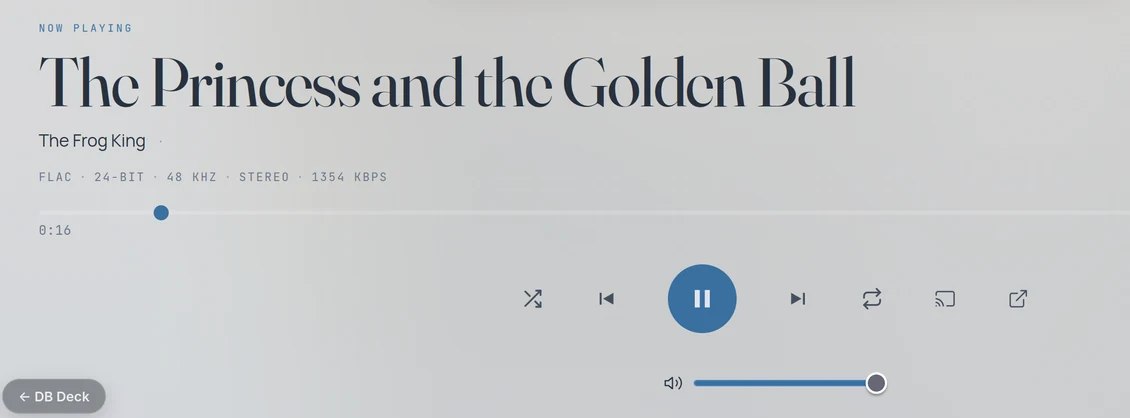
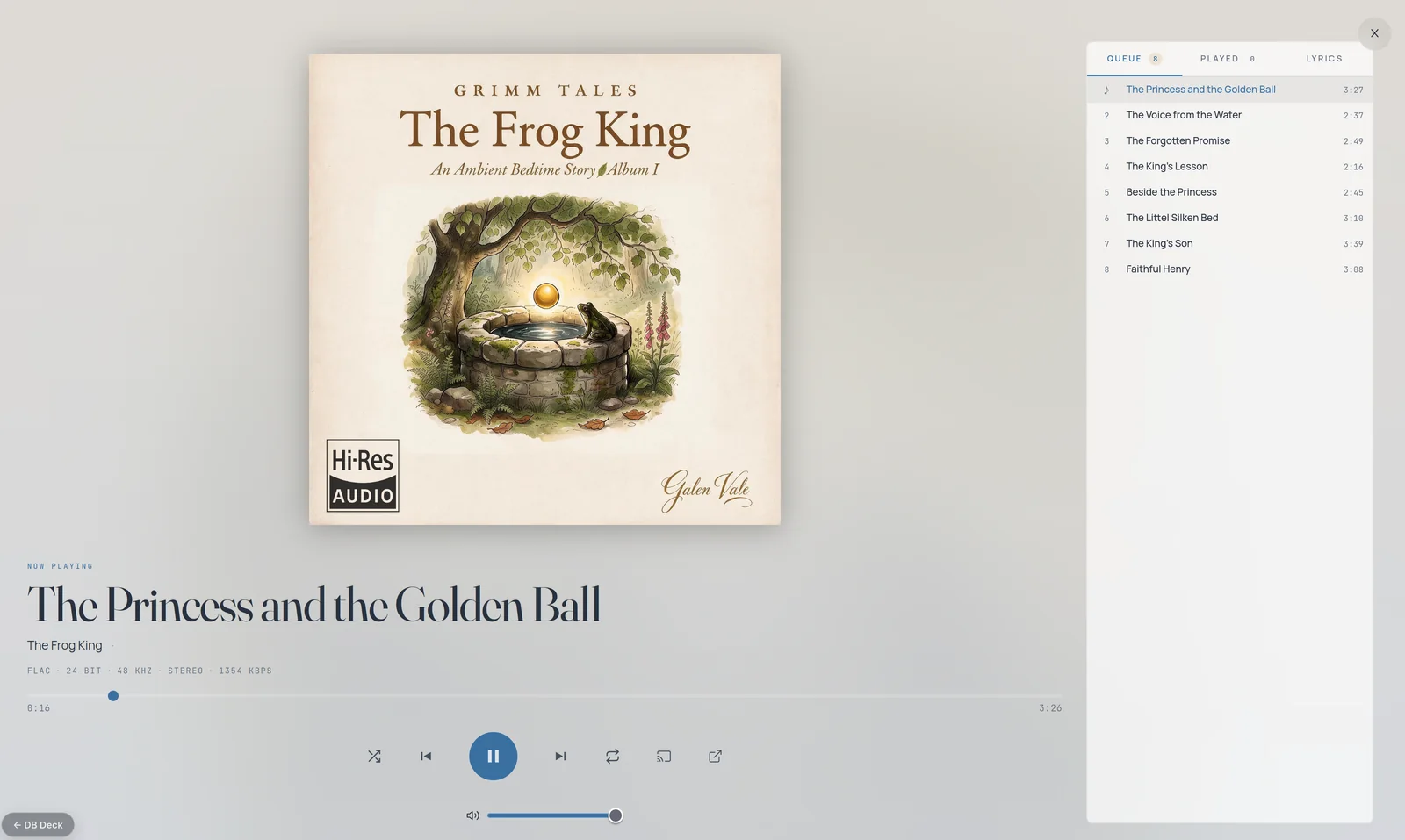
Lacquer playing a 24-bit FLAC album, with artwork, playback controls and the play queue
  • Music
  • Movies
  • TV shows
  • Audiobooks
  • E-books
  • Courses
  • Exercises

Privacy first

Your library never passes through us

Unlike most media products available today, DanuBytes keeps everything on your side. Nothing is logged, stored or streamed through our servers.

  • Nothing loggedWhat you play, watch or read is not recorded by us.
  • Nothing storedYour files and your library stay on your own hardware.
  • Nothing streamed through usPlayback runs from your storage to your player, never through our servers.

Products

One core app, a module for every kind of media

The media server is the core app. It includes Lacquer, Movior, Binger and the other media modules, and MediaVault adds NAS storage alongside it. Two are available now, two are in development and four more are planned.

Media server + File server + Player
DB Deck

  • Media serverCore appIncludes Lacquer, Movior, Binger and the other media modules. It streams your library and transcodes any file a player cannot play.
  • File serverRecommendedMediaVault stores your library in protected pools. Any NAS will do, or the media server can host the files itself.
  • PlayerSeparate appRuns on devices with Android 11 or later. On our own player it supports every codec, 3D and 4K HDR.

All servers are managed through a web interface. The deck's home screen opens every module with a single DB Deck name and password. If you run several DB Decks, you can link them together and manage them all from the same interface.
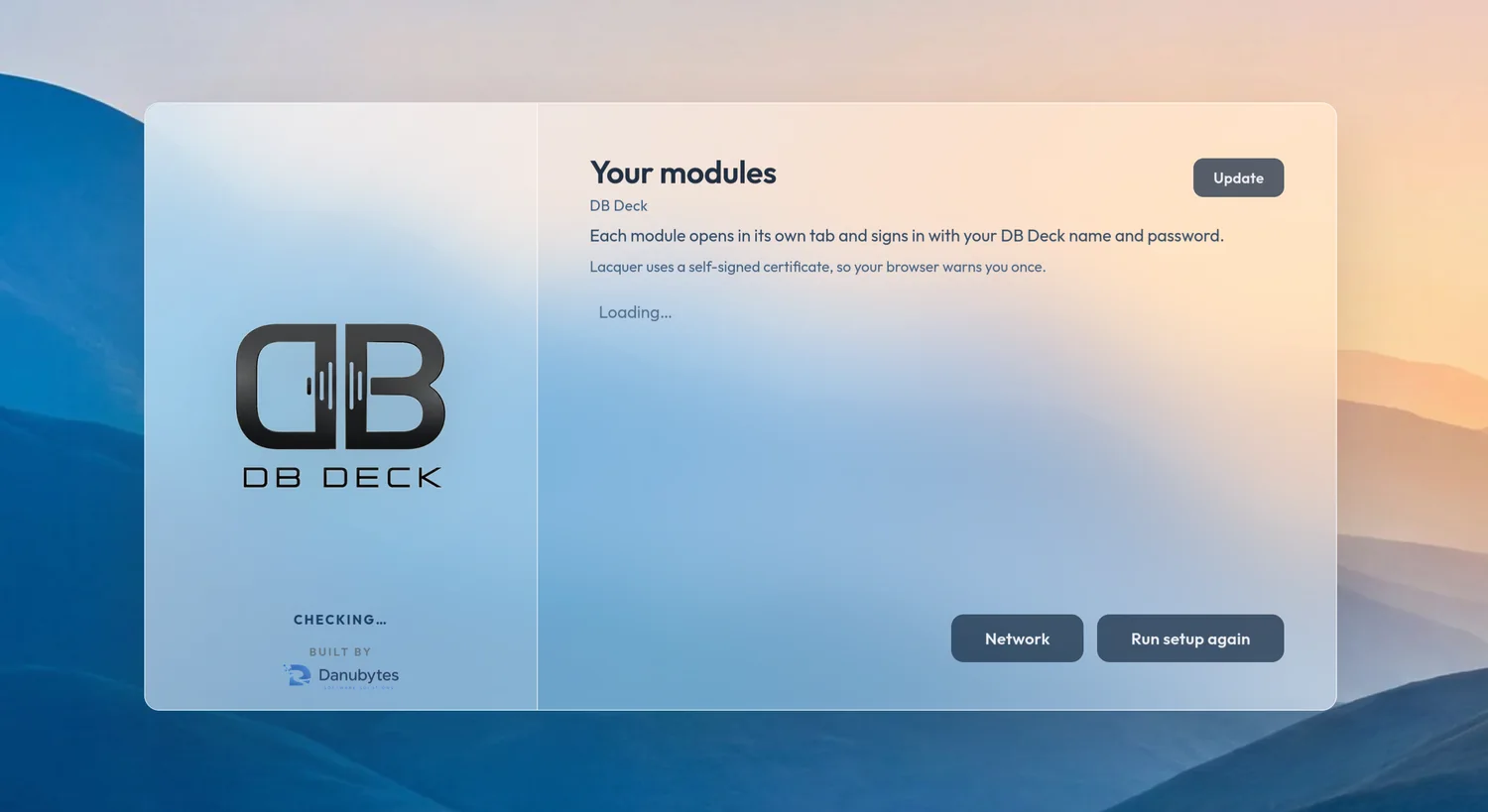
DB Deck home screen: the DB Deck logo beside a panel titled Your modules
  • MediaVault

    NAS storage

    Available
  • Lacquer

    Music server and player

    Available
  • Movior

    Movie server and player

    In development
  • Binger

    TV shows manager and player

    In development
  • Tailer

    Audiobooks

    Upcoming
  • Scroller

    E-books

    Upcoming
  • Guidor

    Learning and courses

    Upcoming
  • Flexor

    Exercises

    Upcoming

How it fits together

Built around the media server

Lacquer, Movior, Binger and the other modules all run inside the media server. Storage is flexible: add the MediaVault file server on the same computer or a different one, use a NAS you already own, or keep the files on the media server itself. Playback happens in a separate app on your Android devices.

Server architecture

  1. Storage · recommended *

    MediaVault server

    Keeps the library in protected storage pools.

    * Any NAS will do, or you can even host the files on the media server itself.

  2. Core app

    Media server

    Includes Lacquer, Movior, Binger and the other media modules. It streams the library to your players and transcodes a file when a player cannot play it.

Separate player app

Android 11 or later

Player app

Not part of the server setup. It runs on Android devices, and playback limits depend on the device. Our own player supports every codec, 3D and 4K HDR.

The servers and the player run on your own hardware. Nothing along this path is logged, stored or streamed through DanuBytes servers.

  • Automatic transcoding *The media server automatically transcodes any file your player cannot play, including HDR to SDR conversion.* Transcoding capabilities depend on the server's CPU and video card.
  • Storage your wayWe recommend MediaVault as the file server. Any NAS you already have works too, or the media server can host the files itself.
  • One computer or severalThe media server and the MediaVault server do not have to be on the same computer.
  • Managed in your browserThe servers are managed through a web interface. You can link several DB Decks together and manage them all from one interface.

MediaVault · NAS storageAvailable

Storage that looks after itself

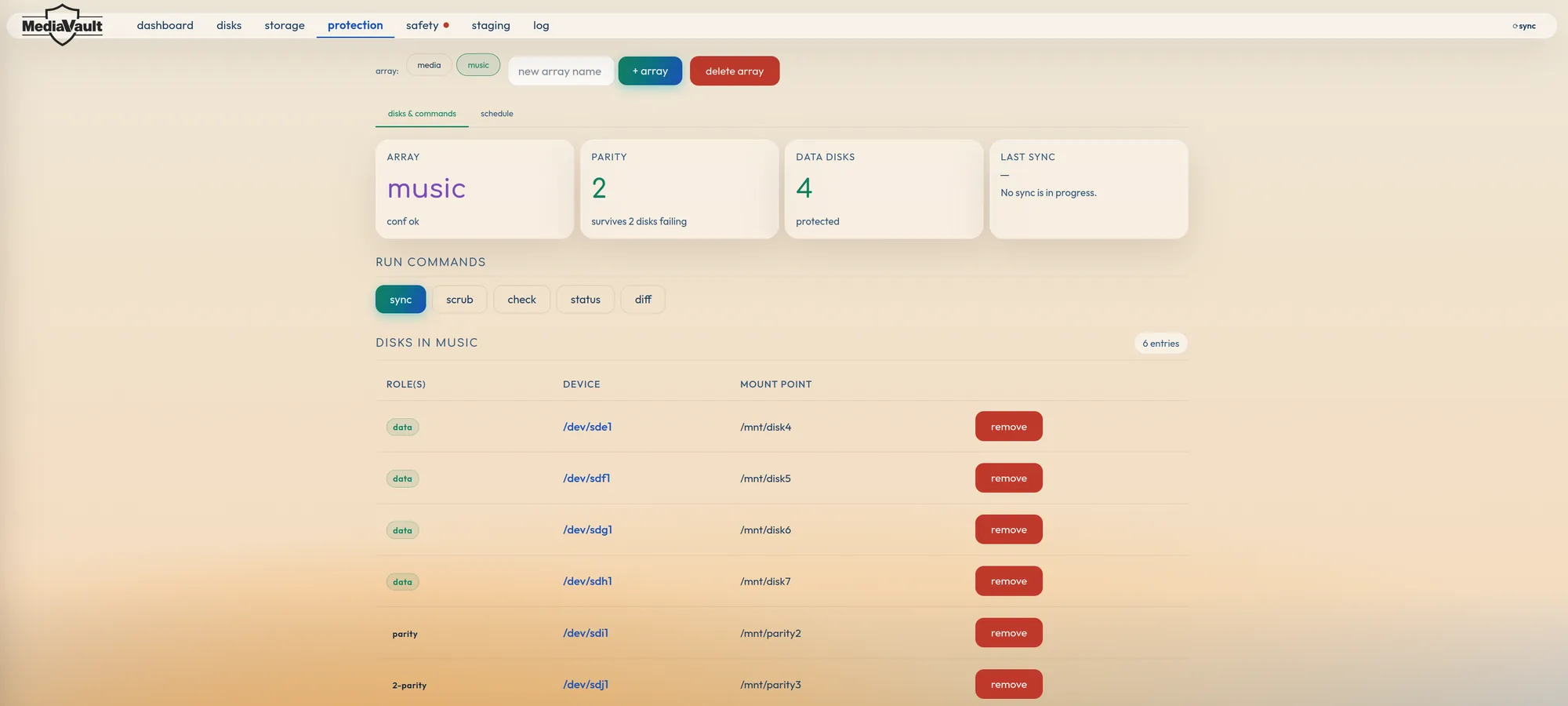
MediaVault runs the custom NAS in the DB Deck. It manages pools, parity and safety copies from one web dashboard.

  • Multiple storage poolsKeep music and video in separate pools. Each pool spans several disks and appears as one library.
  • Drives of different sizesMix hard drives of different capacities in the same system. There is no need to buy a matched set.
  • Parity protectionDedicated parity disks protect each array. With two parity disks, an array survives two disks failing.
  • Nightly safety copyMediaVault checks each pool's safety copy and brings it up to date every night when something has changed.

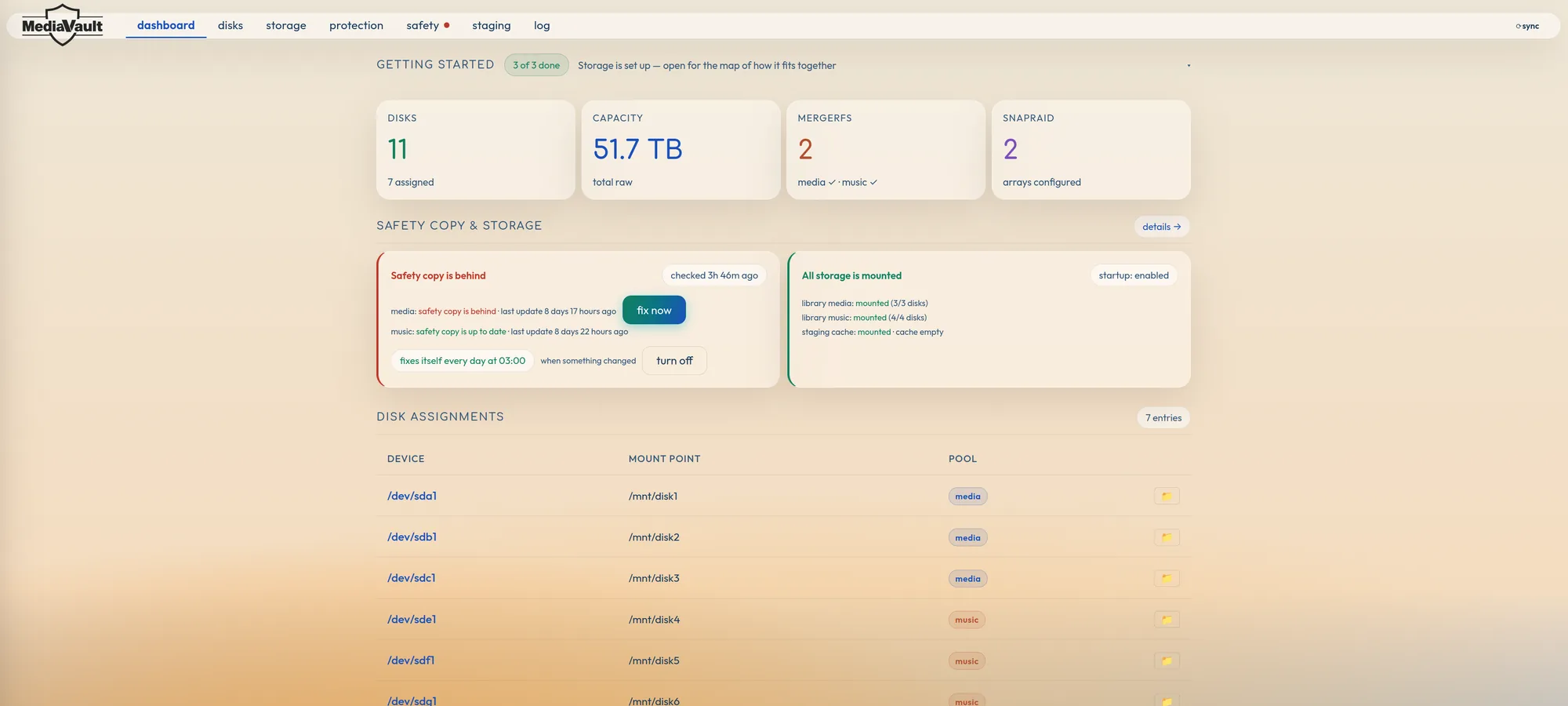
MediaVault on a deck with 11 disks and 51.7 TB of raw capacity.

MediaVault dashboard: disks, capacity, pools, safety copy status and disk assignments

Lacquer · Music module of the media serverAvailable

Bit-perfect music, in the version you choose

Lacquer streams your music collection and hands it to your DAC or receiver unaltered, so you hear the file as it was mastered.

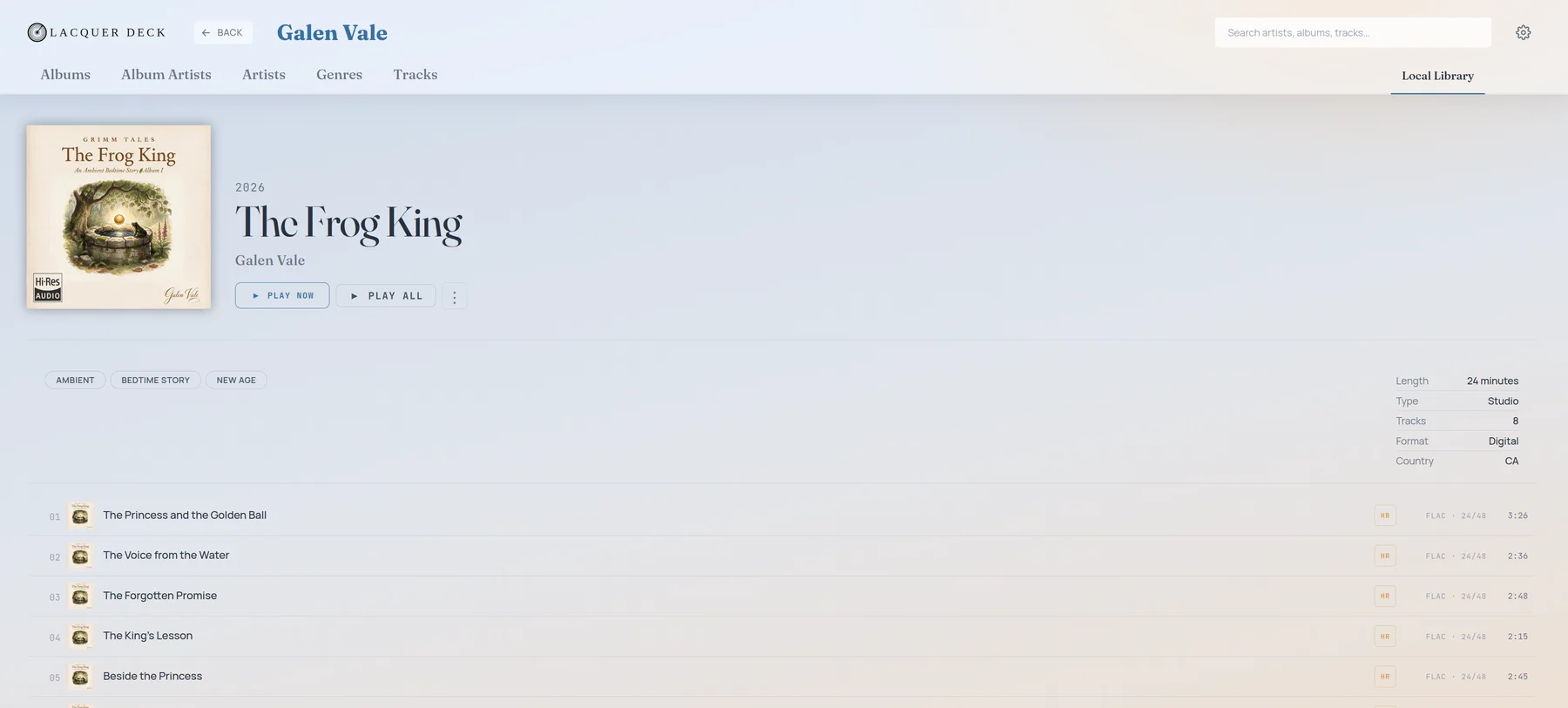
Lacquer album page with cover art, genres and a track list marked FLAC 24/48
Lacquer now playing view showing FLAC, 24-bit, 48 kHz, stereo and the playback controls
  • Multi-version albumsOwn the same album as a CD rip, a hi-res download and a remaster? Lacquer manages every version as one album.
  • Track stackingTracks you have in several audio formats stack into one entry. Choose the version you prefer and add a fallback list.
  • Hi-res, clearly labelledEvery track shows its format, bit depth and sample rate, and hi-res files are marked.
  • Browse by album, artist, genre or track
  • Queue, play history and lyrics

Supported formats

If it is in your library, it plays

Our own player decodes current and legacy video in hardware, handles the main HDR formats and passes multi-channel audio through over HDMI eARC. Anything a player cannot play directly, the media server transcodes automatically.

Video

CodecUp to
H.266 / VVCVersatile Video Coding, hardware decoding, 10-bit4K @ 60 fps
AV1Main Profile, Level 6.0 (MP-10)4K @ 120 fps
H.265 / HEVCMain and Main-10 profiles4K @ 60 fps
VP9Profile-24K @ 60 fps
AVS3 / AVS+ / AVS-P2JiZhun Profile1080p @ 60 fps
Legacy formatsMPEG-4 (ASP), WMV / VC-1, MPEG-2, MPEG-11080p @ 60 fps
3D
  • MVC
  • TABtop and bottom
  • SBSside by side

HDR

  • Dolby Vision
  • HDR10+
  • HDR10
  • HLG
  • SBTM

SBTM is Source-Based Tone Mapping: the player adapts HDR to what your display can show.

HDMI 2.1b

  • eARC
  • VRRVariable Refresh Rate
  • QMSQuick Media Switching

The high-end model adds a separate audio-only HDMI output.

Audio

Surround · passthrough
  • Dolby Atmos
  • Dolby Audio
  • DTS
  • DTS-HD Master Audio
  • DTS:X
Standard
  • FLAC
  • WAV
  • PCM
  • MP3
  • AAC
  • WMA
  • RM
  • Ogg Vorbis
  • Opus

Multi-channel passthrough and audio processing over HDMI eARC.

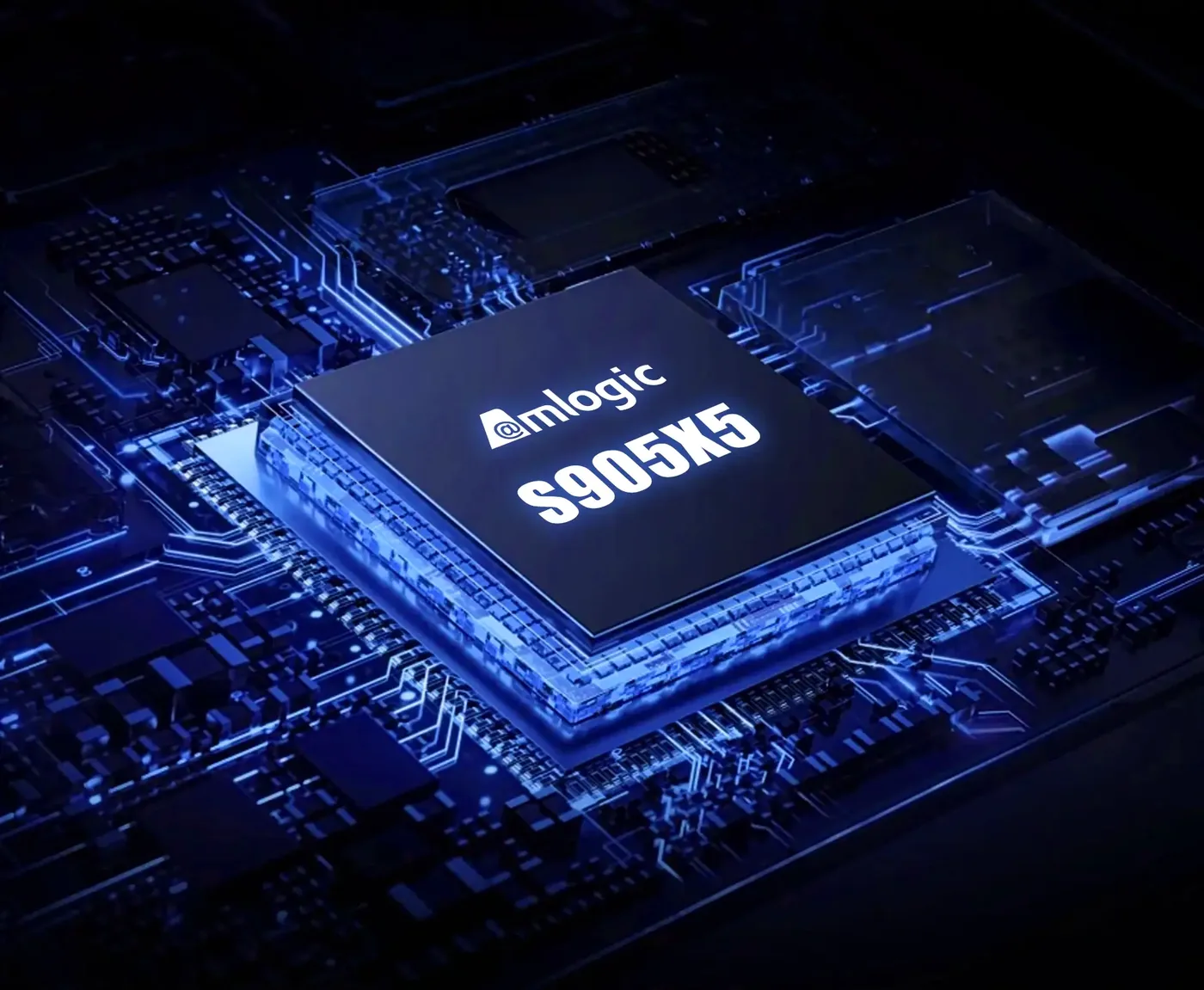
Amlogic S905X5 chip on a circuit board

Media player

Our own player supports every codec, 3D and 4K HDR

The player app runs on any device with Android 11 or later. Playback limits depend on the Android device itself, but if the player cannot play a file, the server transcodes it. Our own player, built on the Amlogic S905X5, adds full support for every codec and smooth playback, with full 3D and 4K HDR.

CPU
Quad-core Armv940K+ DMIPS
GPU
Arm Mali-G310 V5Clocked at 1 GHz for 4K HDR user interfaces
Video
Up to 2× 4Kp60 10-bit decodingH.266 / VVC and AV1, plus VP9, AVS3, H.265 / HEVC and H.264
AI
4 TOPS NPUNeural accelerator that enables AI-SR
Memory
4 GB RAM64 GB eMMC storage
AI-SR, AI super-resolutionThe neural processor upscales lower-resolution video as it plays, so older files look sharper on a 4K screen.

Media server

The server steps in when a file needs converting

The media server is the core app. It includes Lacquer, Movior, Binger and the other modules, and streams your library to your players. When a player cannot play a file as it is, the server transcodes it automatically.

Video
Automatic transcodingFor files your player is not capable of playing back
Limits
Set by the server's CPU and video cardHardware transcoding capabilities depend on both
CPU
Intel Lunar Lake or Core Ultra Series 3Recommended for full compatibility, including VVC
HDR
HDR to SDR conversionSupported during transcoding

System recommendations may change as more devices start supporting VVC decoding.